FluxFrame Pixel VFX Studio
MAKE THE EFFECT YOUR GAME NEEDS, THEN EXPORT IT CLEANLY
FluxFrame Pixel VFX Studio is a focused browser-based tool for creating deterministic, game-ready pixel visual effects.
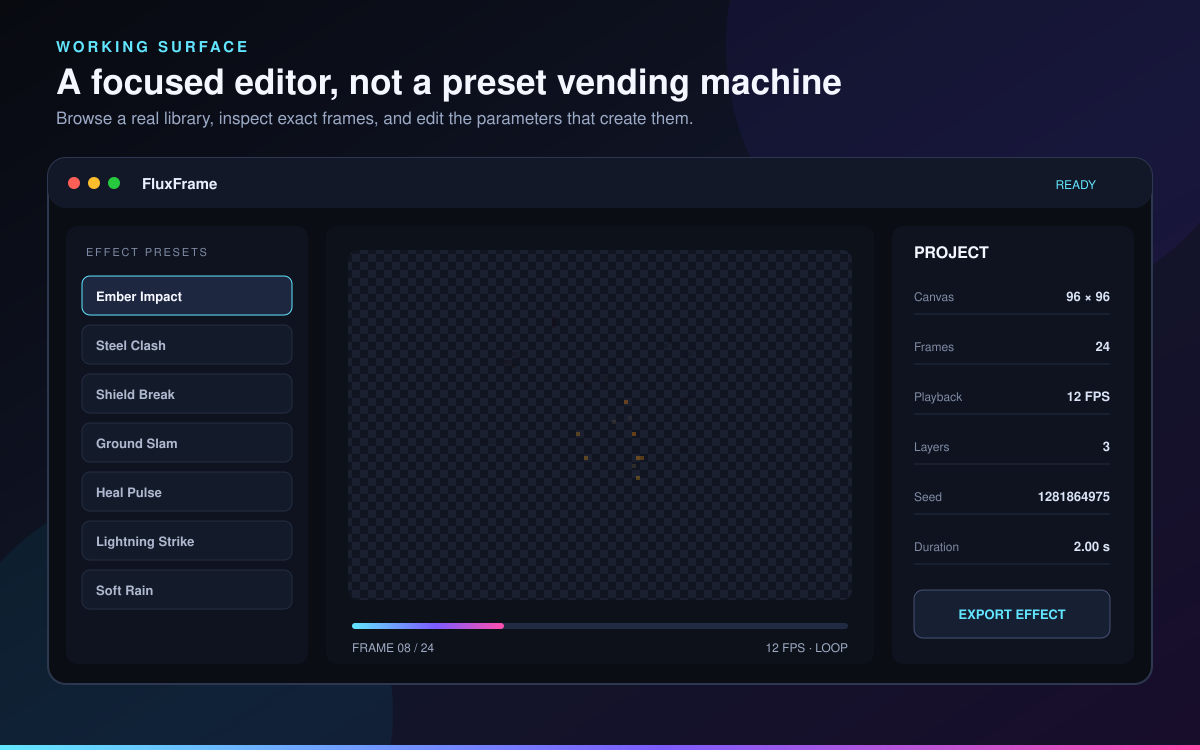
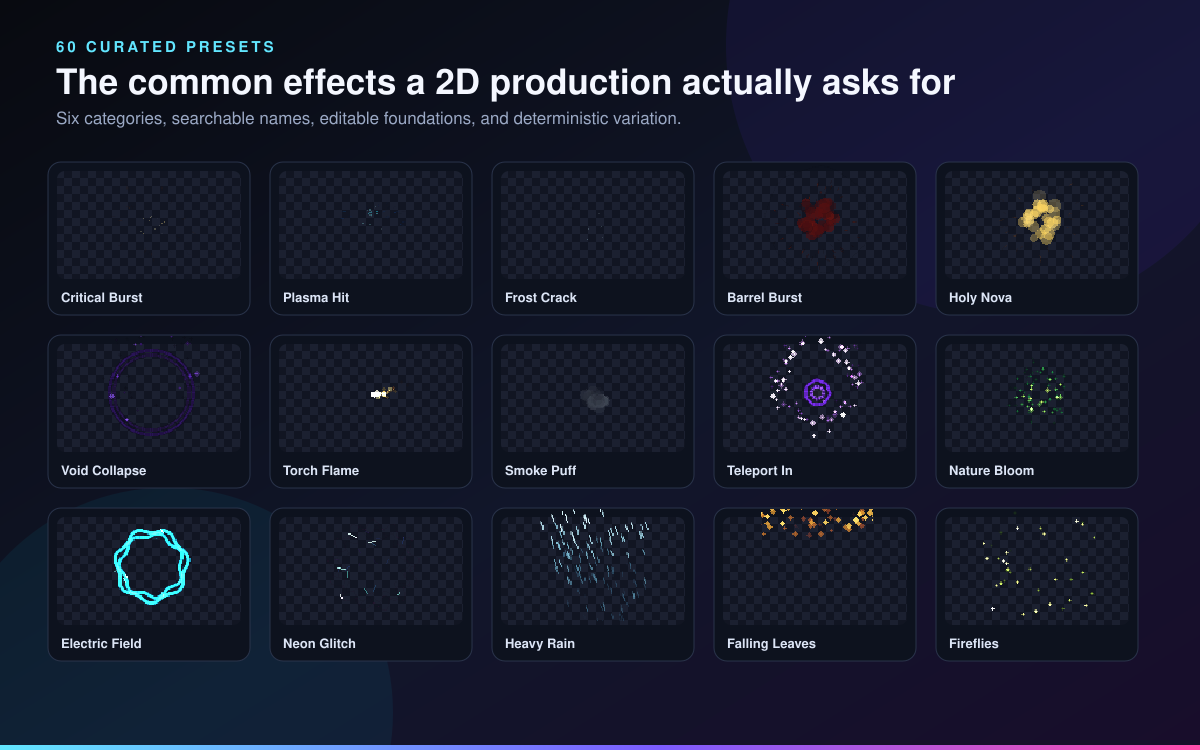
Start with one of 60 curated effects, customize it through editable procedural layers, add hand-drawn corrections to individual frames, and export production files without an account, subscription, installer, or server render.
FluxFrame is a complete creation tool, not a static sprite collection. Changing the seed, timing, movement, physics, palette, shapes, layer stack, and frame corrections can turn one preset into many visually distinct effects.
WHAT YOU CAN CREATE
The preset library covers six practical production categories:
• Impacts • Explosions • Fire and smoke • Magic • Energy • Weather and ambience
Included effects cover hit sparks, shield breaks, critical hits, ground slams, debris, explosions, smoke, embers, muzzle flashes, healing, teleportation, magic seals, lightning, energy fields, force waves, rain, snow, leaves, sand, bubbles, fireflies, underwater particles, and more.
EDITABLE EFFECT LAYERS
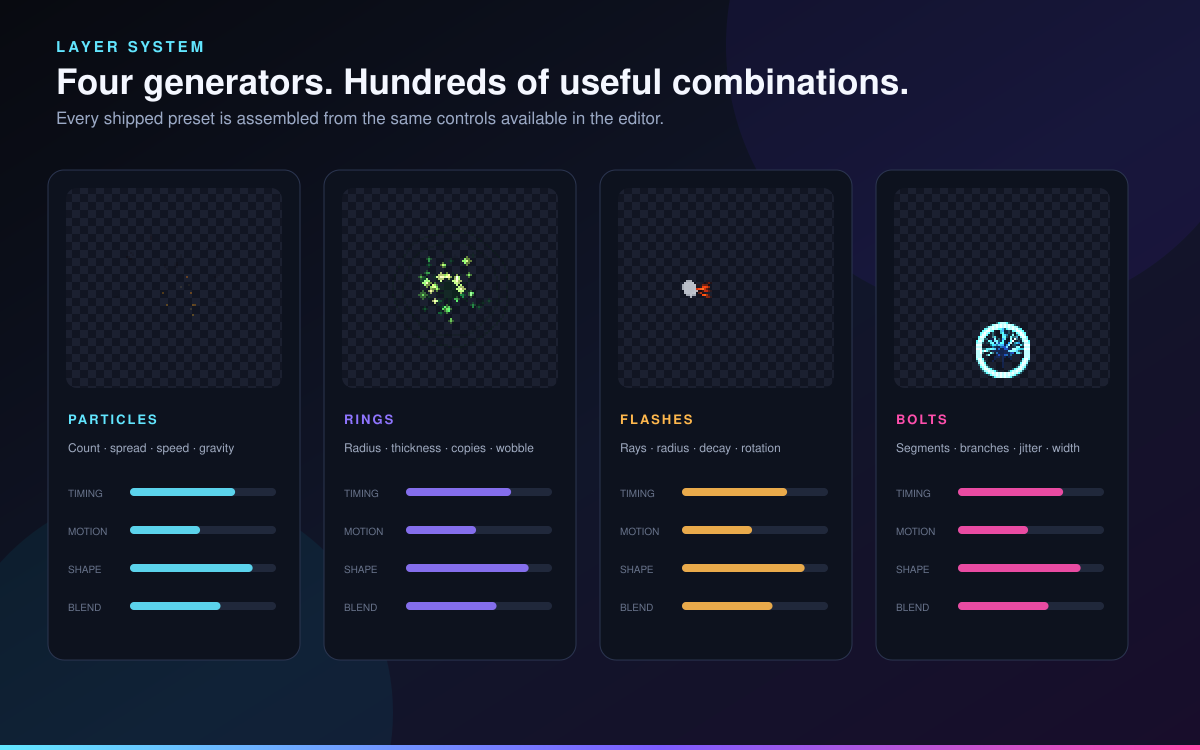
Every built-in preset uses the same layer system available inside the editor.
• Particles for sparks, smoke, debris, rain, snow, motes, jets, and fragments • Rings for shockwaves, auras, magic seals, and energy fields • Flashes for impact cores, muzzle flashes, stars, and spell bursts • Bolts for lightning strikes, electricity, and energy arcs
Adjust particle count, timing, emission, direction, spread, speed, gravity, drag, turbulence, lifetime, size, trail length, shape, palette, and blend mode.
Layers can be renamed, enabled, disabled, duplicated, deleted, and reordered.
DETERMINISTIC RESULTS
Every project has a numeric seed. Keeping the same project settings and seed reproduces the same procedural result.
Randomize the seed when you want a new variation, or preserve it when an effect needs to remain consistent across revisions and exports.
PROJECT FEATURES
• Canvas sizes from 16×16 through 512×512 pixels • Animations from 2 through 180 frames • Playback from 1 through 60 FPS • Transparent and solid export backgrounds • 60-step undo and redo • Portable editable project files • Local custom presets • Project fingerprints for identifying generation settings • Responsive desktop and smaller-screen workspace • Keyboard playback and editing shortcuts
FRAME-SPECIFIC PIXEL EDITING
Generated layers remain editable while you draw or erase final corrections on individual frames.
Use frame editing to repair silhouettes, add accent pixels, remove unwanted fragments, or apply finishing details without flattening the procedural layer setup.
PRODUCTION EXPORTS
FluxFrame creates:
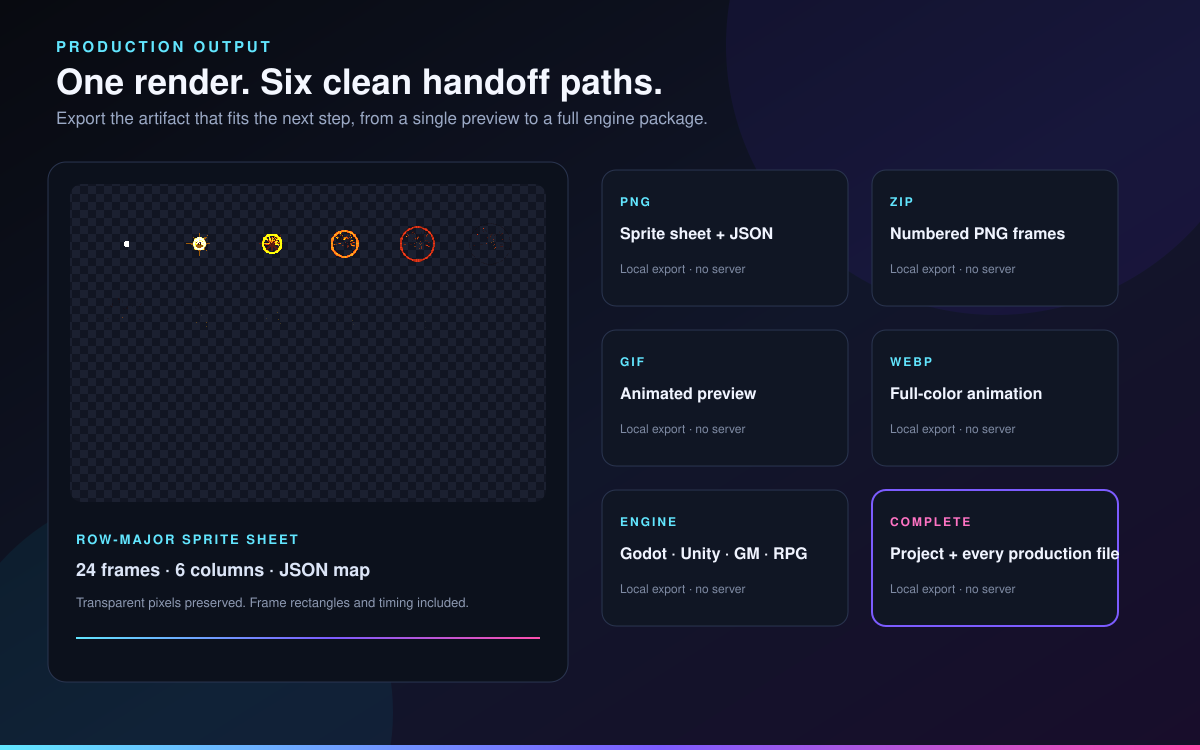
• Transparent PNG sprite sheets • JSON frame maps • Numbered PNG frame sequences • Animated GIF previews • Full-color animated WebP files • Editable FluxFrame project files • Complete effect packages • Engine-import packages
ENGINE HANDOFF
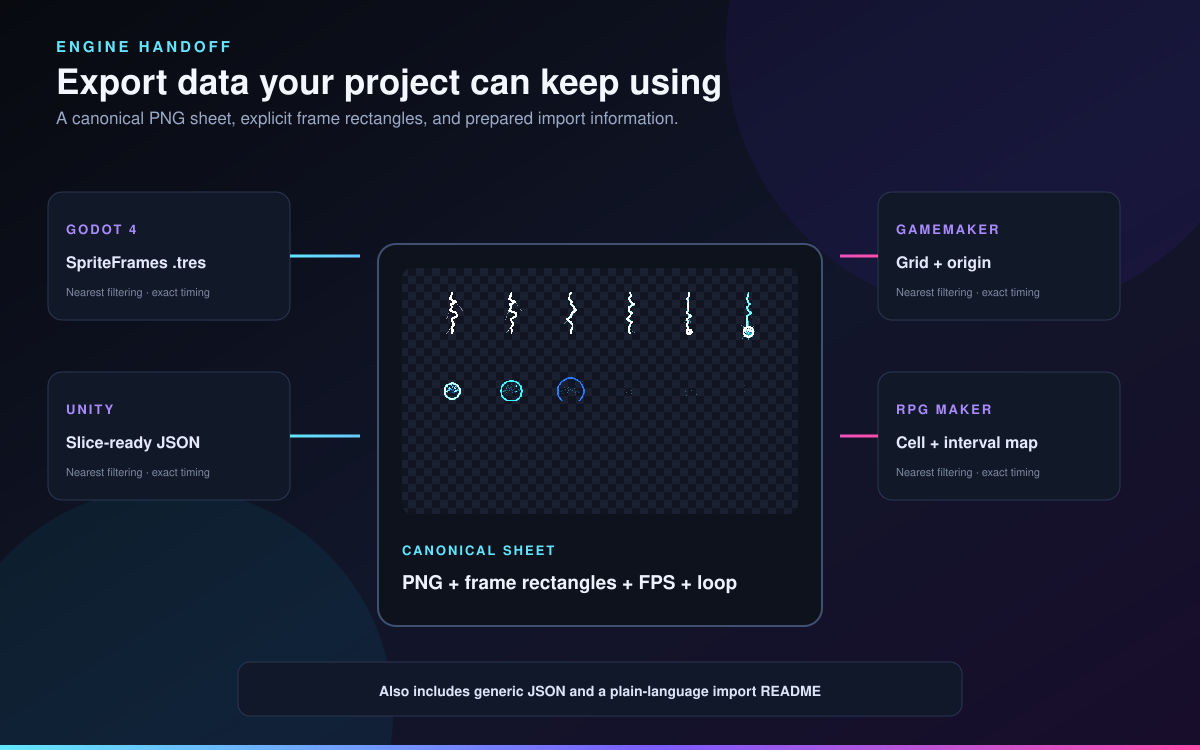
Engine packages include a canonical PNG sprite sheet, explicit frame rectangles, playback timing, loop information, and prepared import data for:
• Godot 4 • Unity • GameMaker • RPG Maker • Generic engines and frameworks
Godot exports include a ready-to-load SpriteFrames resource. The download also includes plain-language engine instructions for maintaining crisp nearest-neighbor pixels.
FULL VERSION INCLUDES
• FluxFrame Pixel VFX Studio 1.0.0 • All 60 curated presets • Complete layer editing • Canvas sizes up to 512×512 • Timelines up to 180 frames • All production export formats • Engine metadata packages • Commercial generated-output rights • Quick Start guide • Complete user manual • Engine-import guide • Troubleshooting guide • Sample editable project • Sample sprite sheet, animation, metadata, frame sequence, and engine package
FREE DEMO
The free demo provides eight presets, projects up to 96×96 pixels and 24 frames, layer editing, frame correction, project save and open, and PNG sprite-sheet export.
Use the demo to test the actual FluxFrame workflow before purchasing.
COMMERCIAL USE
Generated and customized output may be used in commercial games, applications, videos, websites, printed media, and client work without royalties or required attribution.
Commercial asset packs are permitted when the output reflects meaningful customization. Redistribution of FluxFrame itself, its source, documentation, or a substantially complete collection of unchanged built-in preset output is prohibited.
The complete terms are included in the download.
PRIVATE AND OFFLINE
FluxFrame runs locally in your browser.
It contains no analytics, telemetry, advertisements, account system, tracking pixels, external AI model, or server-rendering requirement. Your projects and generated effects remain on your computer unless you choose to export or share them.
SYSTEM REQUIREMENTS
• A current desktop browser • JavaScript enabled • Approximately 10 MB of available storage • Chrome or Edge recommended for animated WebP export
No additional programs or runtime libraries are required.
SUPPORT
For assistance, use the community section on this itch.io page. Include your FluxFrame version, browser version, operating system, selected export format, and project file when it is safe to share.
AI GENERATION DISCLOSURE
Generative AI assisted with portions of the programming, interface text, documentation, and programmatically constructed graphics. The pixel VFX are generated locally by deterministic procedural algorithms; no AI model or external AI service runs inside the product. No AI-generated music, sound effects, or voices are included.
Created and published by Bryce Lovell.
Copyright © 2026 Bryce Lovell.
Purchase
In order to download this tool you must purchase it at or above the minimum price of $6.49 USD. You will get access to the following files:
Download demo
Leave a comment
Log in with itch.io to leave a comment.